PanHunter Apps
This section guides you through PanHunter along with providing you the explanation for each app individually
Start Page
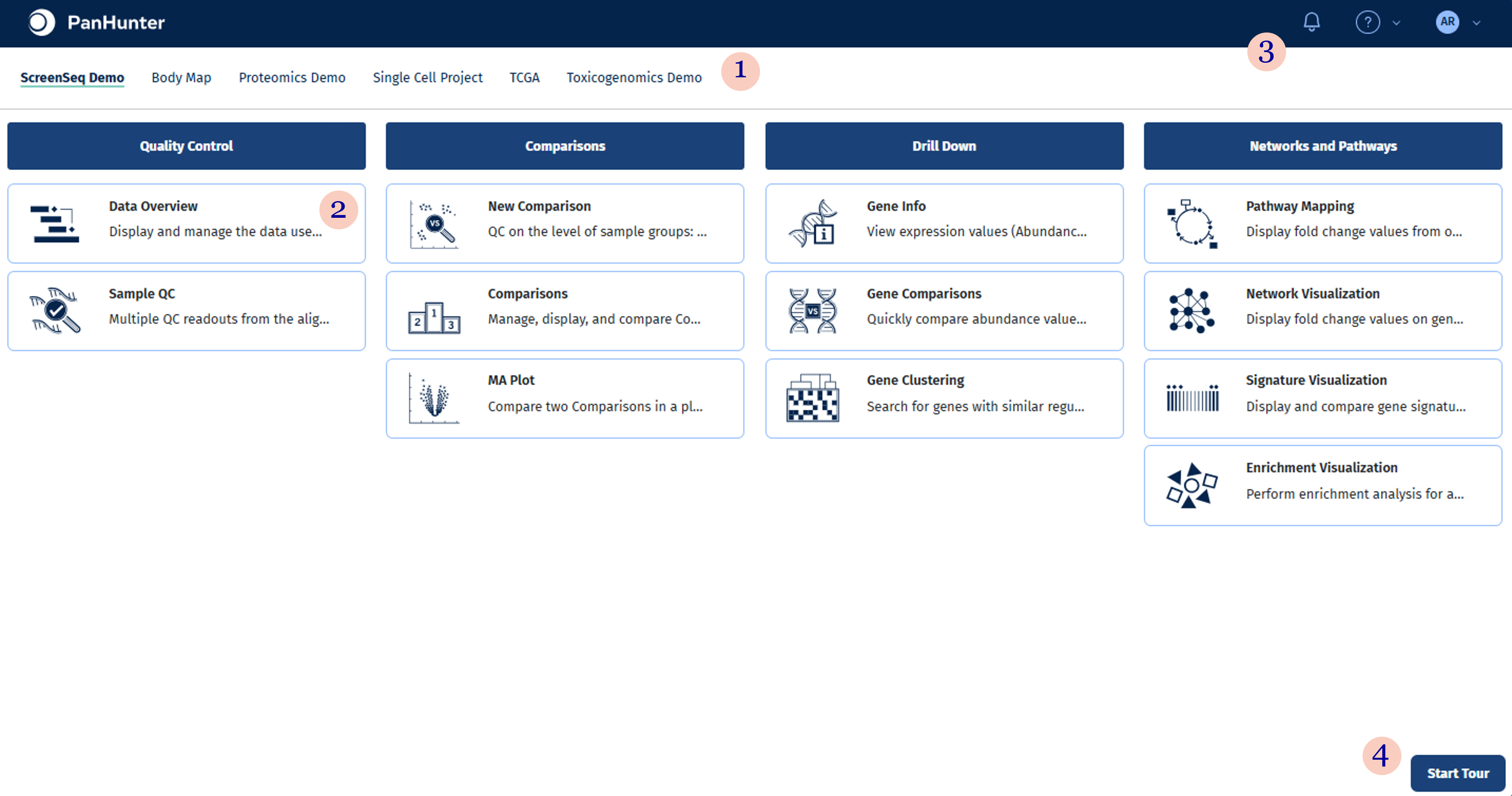
Start page provides a centralised destination to switch between projects and dive into your data from any of the PanHunter applications.
- Project bar lists all PanHunter projects you are involving in. Simply click on the project name to access the project.
- Application catalogue includes core applications suitable for all analysis workflows as well as project-specific applications such as Patient Data, scExplorer, etc.
- Access to notification center, help center, documentation and administration Provides detailed information of all PanHunter applications and algorithms. Guides you to the admin app for managing your projects and the contact form for sending enquiries and reporting issues.
- Start Tour button Starts a guided tour of PanHunter start page.
Application
An application includes analysis features dedicated for a specific step in your data analysis workflow.
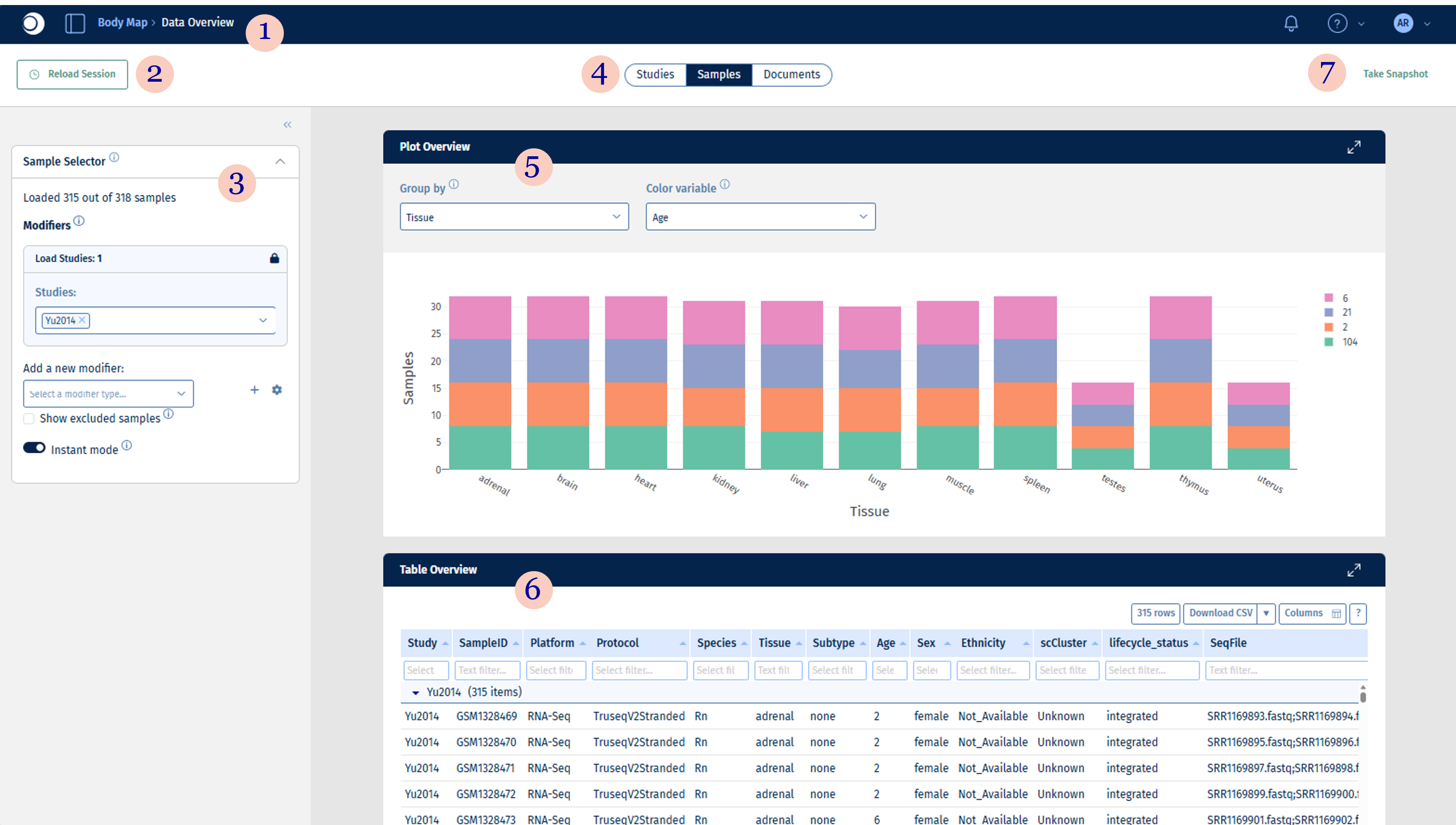
- Navigation Scaffold shows information about the current project and application. It enables easy access to other projects and apps directly from the currently opened app.
- Reload Session Button enables the user to reload the app and clear current settings or restore previously used settings. For more information please see here.
- Selection & configuration panel allows selection and combination of studies and samples, as well as the configuration of analysis parameters and plot options. The panel and all included sections are collapsible.
- Analysis bar lists panels with relevant aspects and analyses in the selected application.
- Plots in PanHunter are interactive, customisable and downloadable.
- Tables can be filtered and customised by clicking on ≡ symbol.
- Help and snapshot buttons provide detailed explanations and create interactive snapshots.
PanHunter provides two types of applications based on the dataset and analysis requirements of a project:
-
Admin app: An administrative application to manage PanHunter users, roles, and projects.
-
Standard apps: Core applications available by default across all projects for general data exploration and analysis.
-
Special apps: Custom-built applications designed for specific datasets, workflows, or analytical needs not covered by standard apps.