Comparison selector
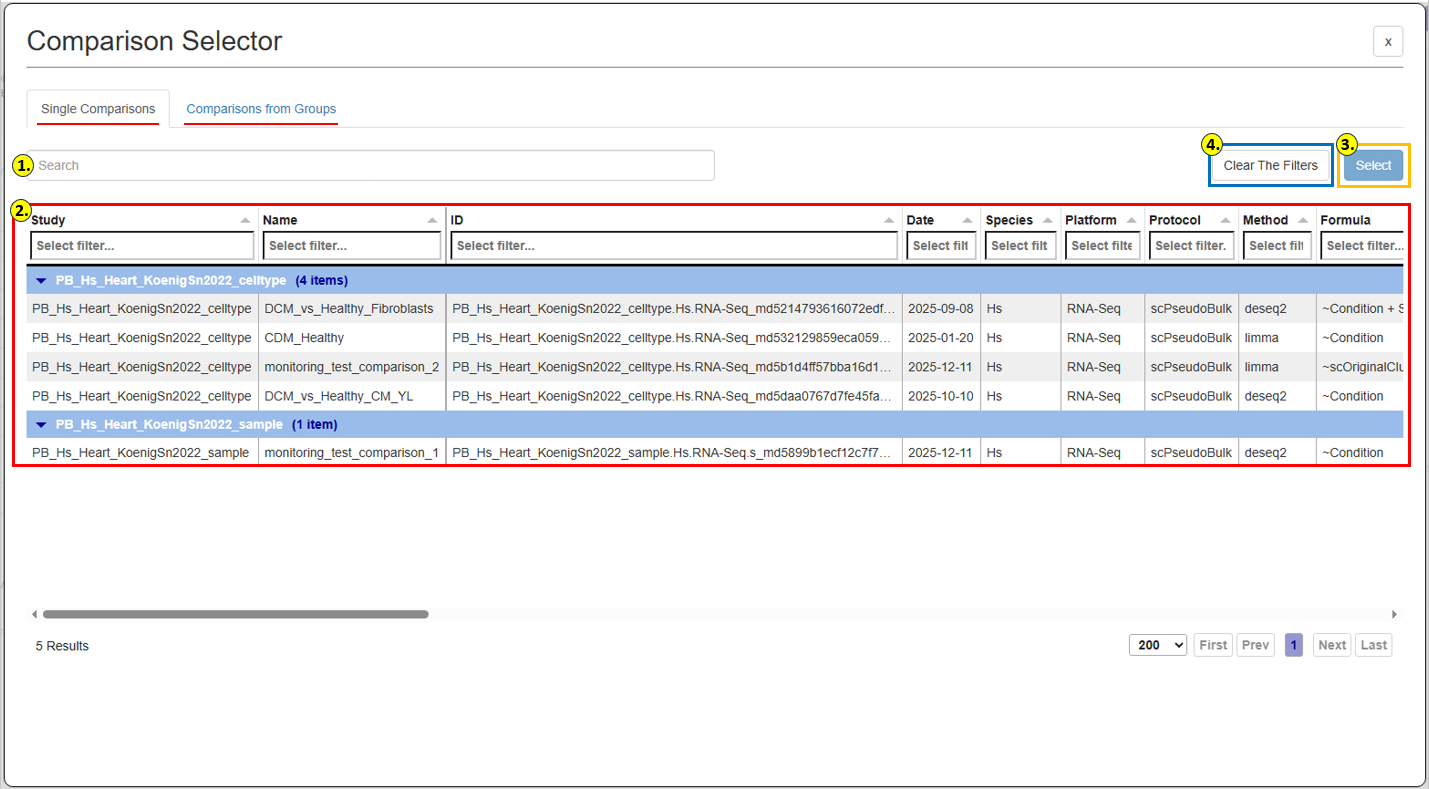
The Comparison Selector allows users to search, filter, and select individual comparisons or comparisons from predefined groups for use in the current analysis.
It provides two tabs:
Single Comparisons
Comparisons from Groups
Use the search field or column-specific filters to locate a Comparison.
Available Comparisons are displayed in a table containing information such as Study, Name, and ID.
Select the required Comparison and click Select to add it to the current analysis tab.
The Clear The Filters button removes filters currently applied within the selector.