A project guest can view things within a project, but not run any analysis themselves - this is mainly for showcasing a project to someone, letting them interact with already performed analyses.
1 - Data Management: Deleting a Study
Instance administrators, data manager and project leaders of a project can see the Data Overview Tab of a project, by going to Projects in the sidebar and clicking on the corresponding project name and then on the Data tab.
The view present all studies of the project. Clicking on Delete opens the Study Deletion Modal.

Regular users can only perform soft-deletion, which is fully reversible and does not delete any files except for the study’s sample table (if possible) from the project directory. The sample table can also be restored.
Instance administrators will see an additional checkbox to trigger hard deletion (not shown in the screenshot). Hard deletion would remove files from the project folder, however, this is only supported for specific protocol and platform types.
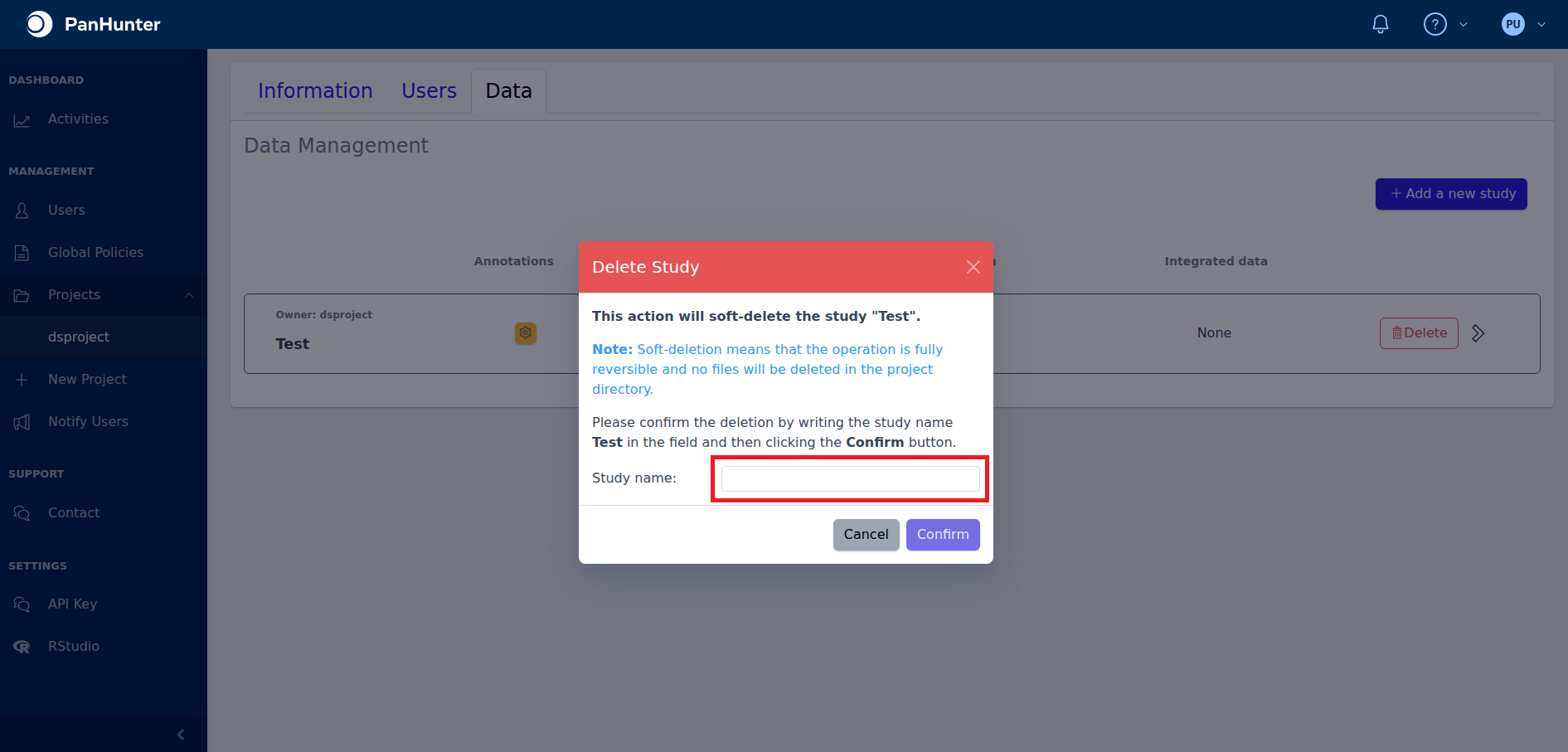
To approve study deletion, first type the name of the study into the empty text box.
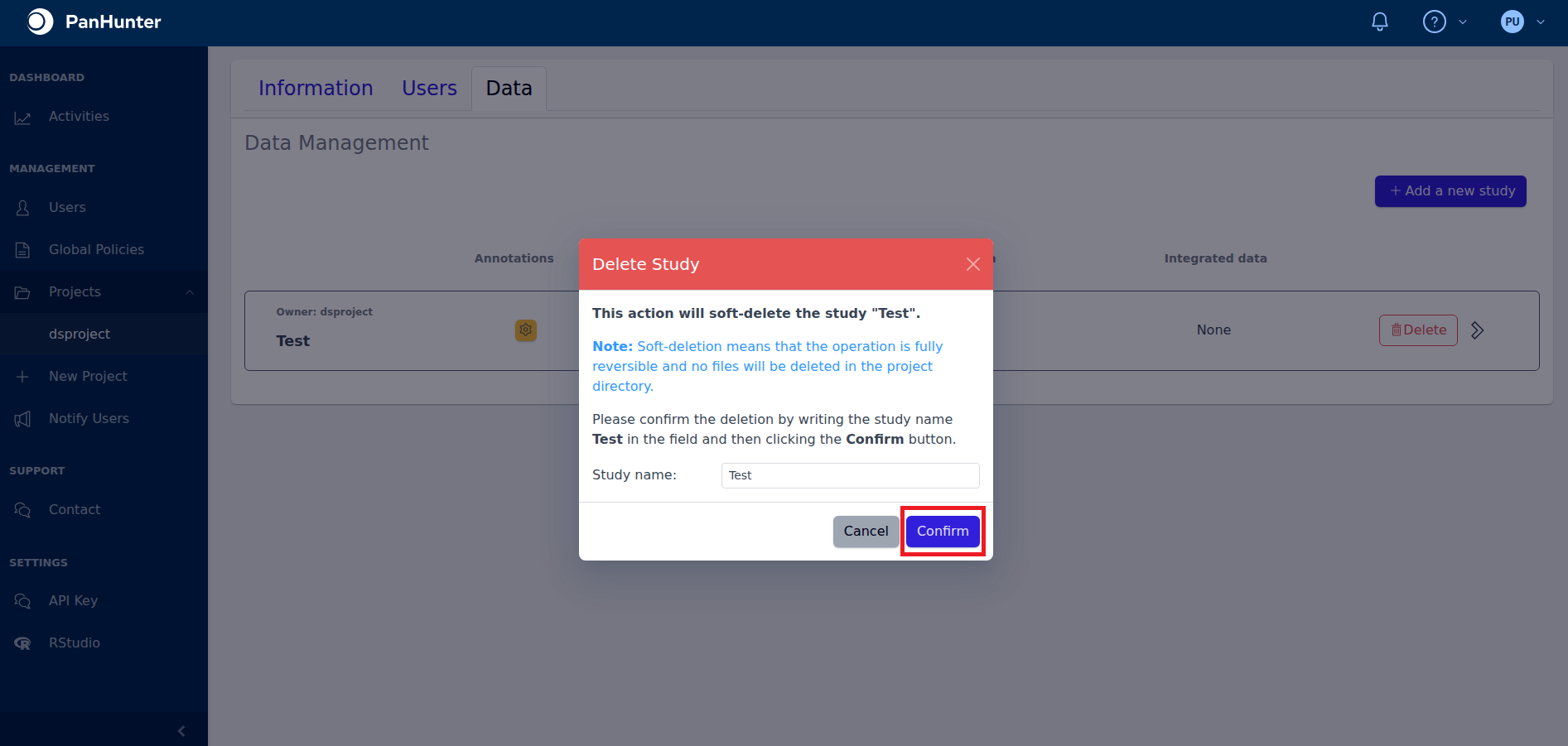
Then click Confirm to trigger the deletion.
2 - Basic Data: Viewing Project Information
All members of a project can see basic information of that project, by going to Projects in the sidebar and clicking on the corresponding project name.
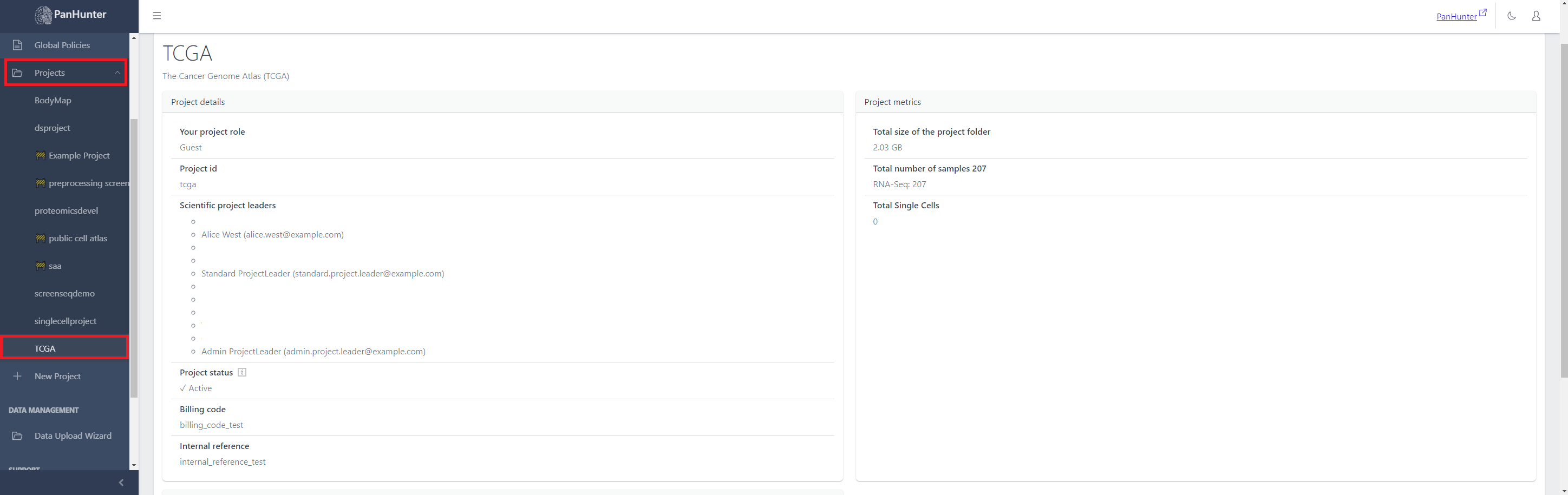
A user can see the project name, description, additional information set by project leaders in project details, and project metrics.
Name and Description
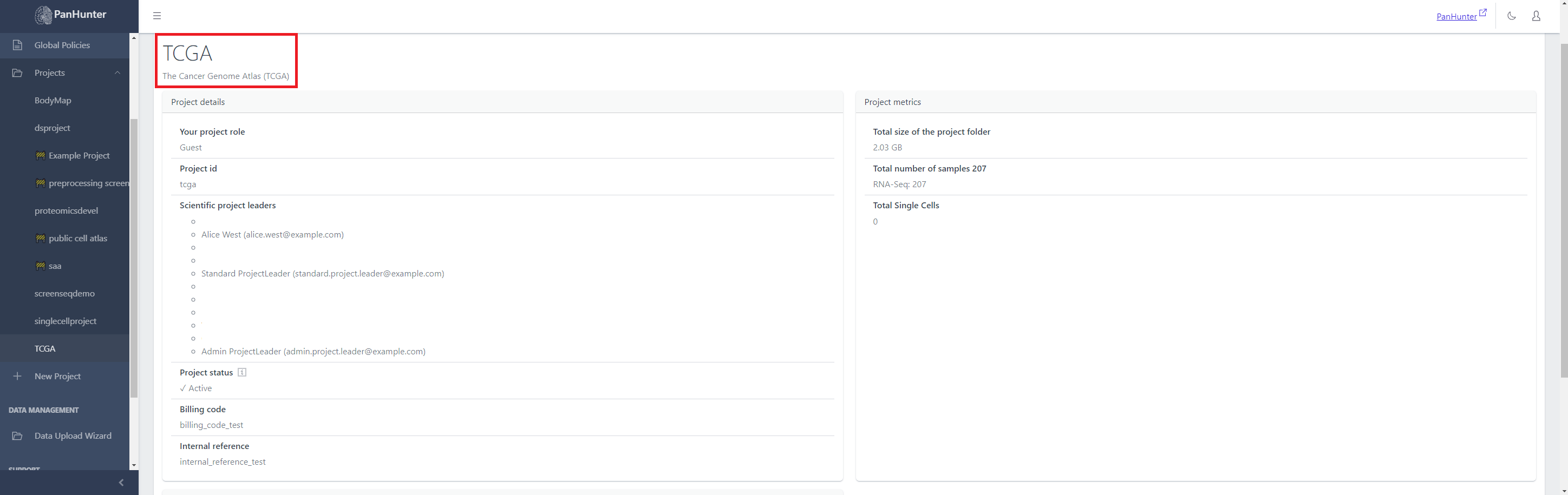
The name of the project is in the top row in the project Information tab. The following lines are the project description.
Project Details
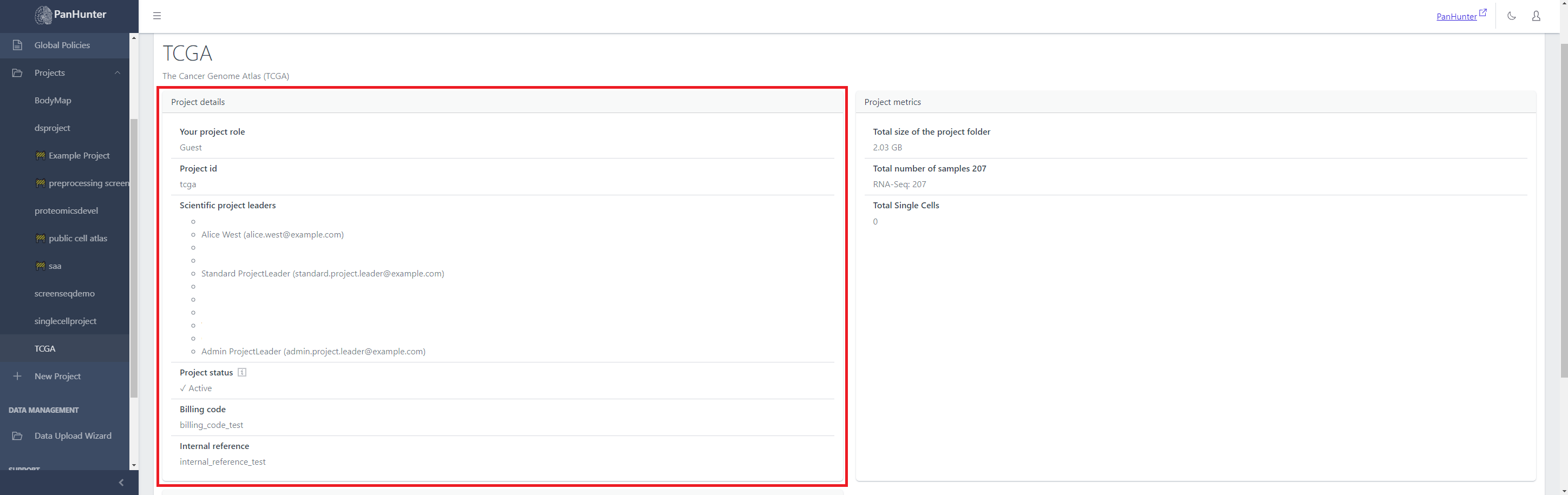
This is information about the project that project leaders can set or edit. This information is:
- the role of current user (guest/analyst/data manager/project leader), determining what they have access to within the project
- the project identifier
- the list of project leaders, with names and e-mails
- the project status (active or maintenance)
- the billing code
- the internal reference
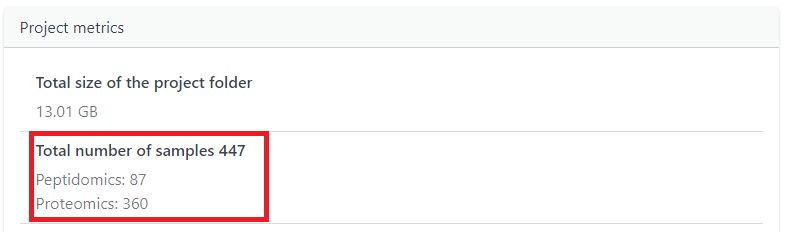
Project metrics
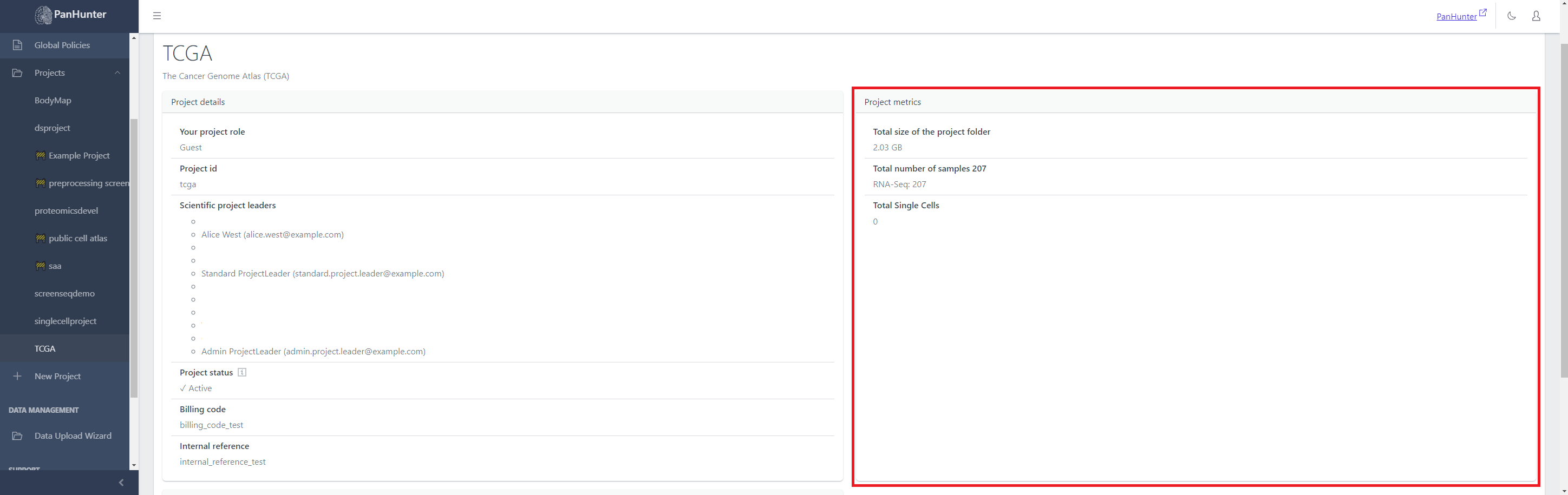
This is information obtained from the files in the project.
This information is:
- the size (in GB) taken up by the project in total
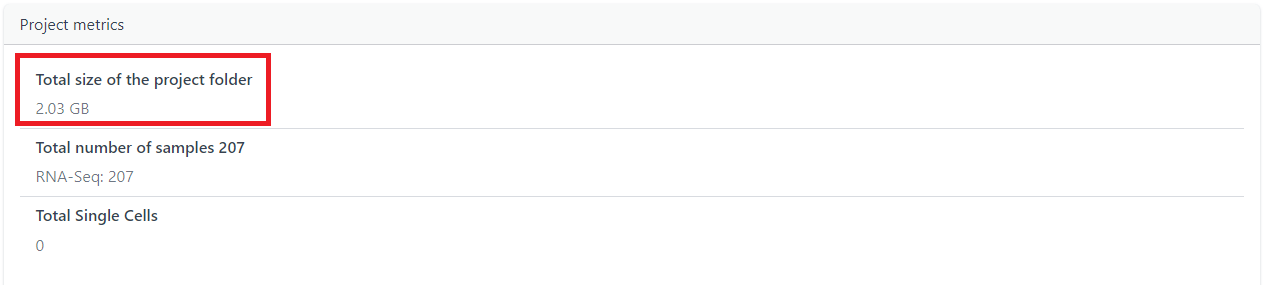
- The total number of samples, with a subsection mentioning how many samples for each protocol used in this project (RNA-Seq, Peptidomics, etc…)
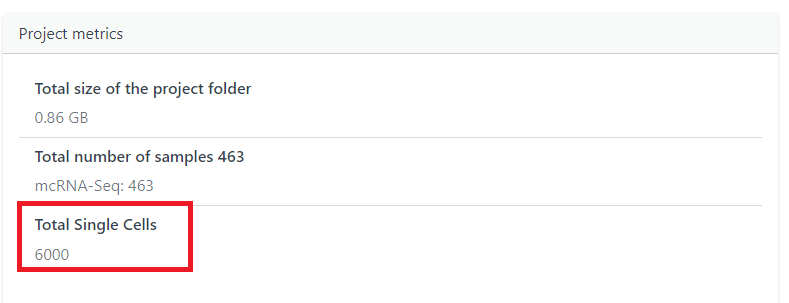
- A separate section for how many Single Cell data points are within a project